Redesigning 1,200 sites to make it easier to find help
Role
Lead UX/UI designer
Key contributions
Highlights
20% increase in users finding local Salvation Armies
Context
The Salvation Army is a global nonprofit
The Salvation Army serves millions annually through disaster relief, homelessness support, rehabilitation programs, and community services. In the U.S., it operates thousands of locations nationwide, making it one of the largest charitable organizations in the country.
Business Problem
1,200 sites without a shared design standard
Due to the hierarchical structure of The Salvation Army, each site has a different design which causes an inconsistent experience from one site to another.
User Problem
Users struggled to find Salvation Army services
Many of these users were navigating the sites during vulnerable or high-stress moments. Throughout all the sites, there's no standard starting point for a user to find local resources.

Project Opportunity
A platform migration created a moment to standardize and redesign
The Salvation Army decided to switch their hosting platform, and saw this as an ideal opportunity to redesign and improve their site. Their last major overhaul was back in the early to mid-2010s, making it a timely update.
Solution
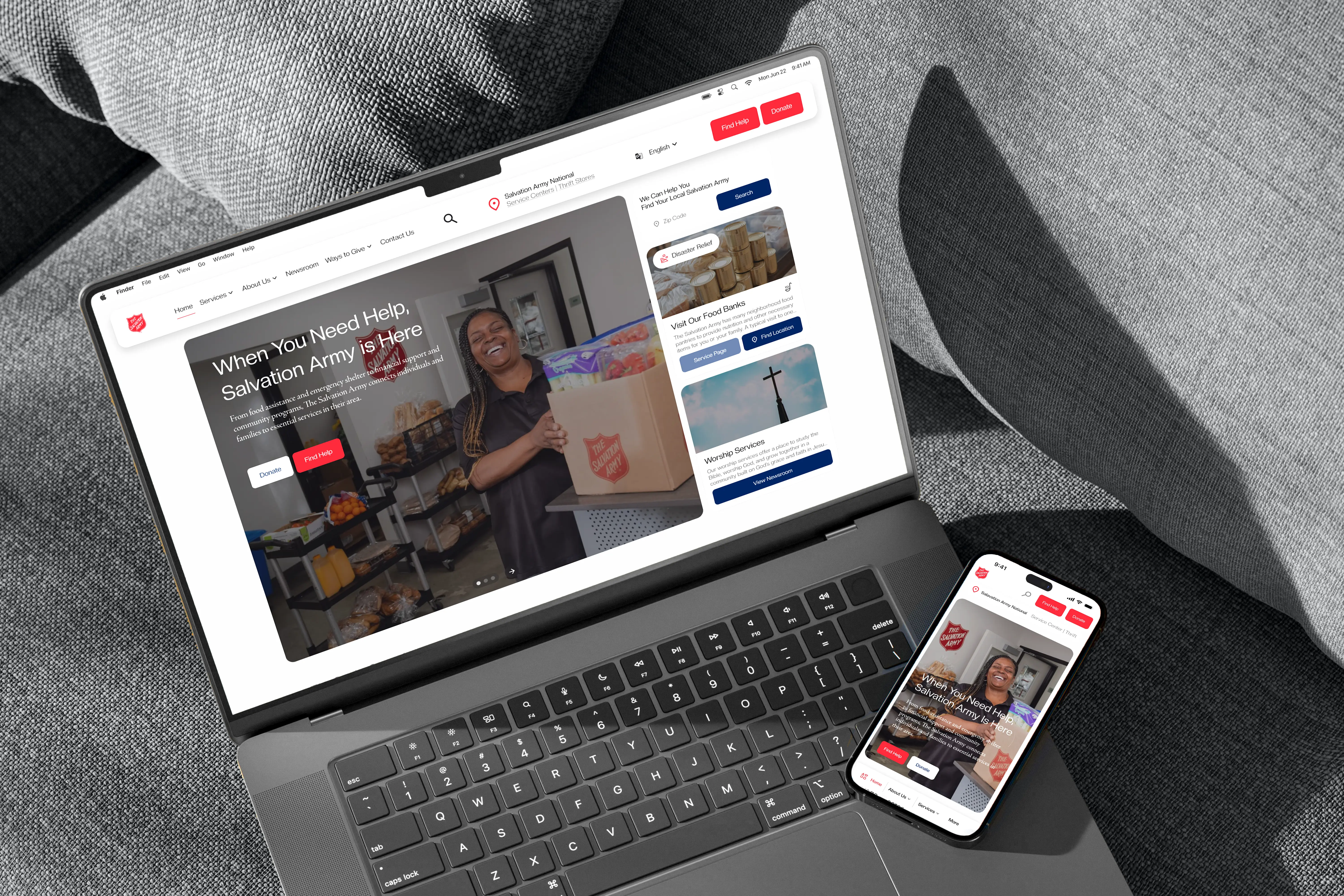
I redesigned and simplified service discovery across 1,200+ sites
About the User
80% of users visit the site to find help and essential resources
Survey data from the live site revealed that the majority of visitors were seeking assistance. Many were economically disadvantaged individuals, people with disabilities, military veterans, and others in need of critical support.

UX Improvement Opportunity
A clear opportunity to improve the path to help
With most users visiting to find essential resources, the lack of a clear starting point revealed a critical gap in the experience. This moment of high intent but low clarity became a key focus for the redesign.
MARKET RESEARCH
How did other sites tackle a similar opportunity?
I researched various sites with a similar goal of connecting users to the right resources, including HCA Healthcare, Feeding America, YMCA, even Olive Garden. One of the most inspiring references was Baylor Scott & White Health which clearly show users how to find resources and where to access them.
UX Validation
Applying research, we tested a clear "find help" path on the live site
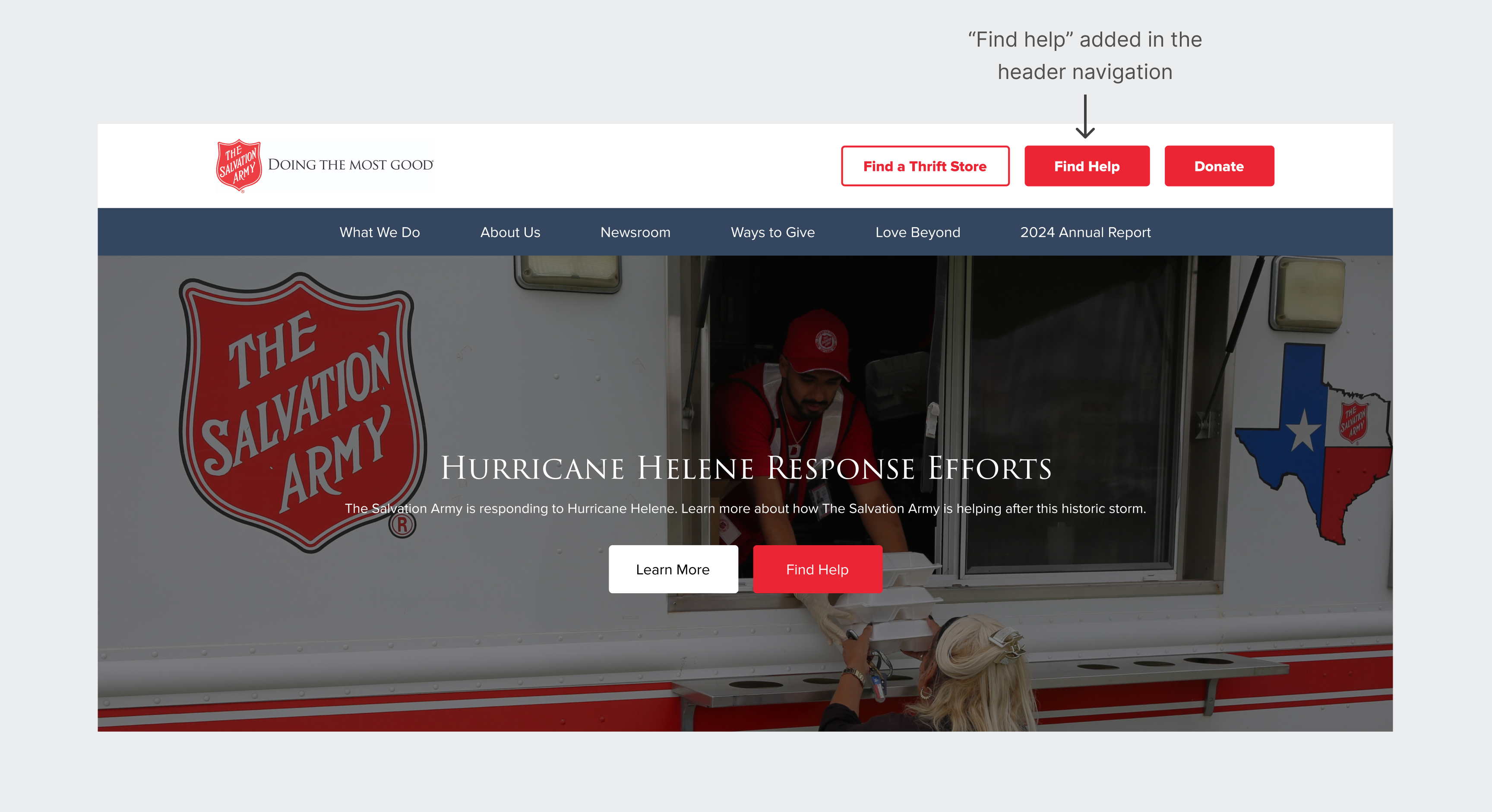
We added a button in the header navigation that begins the flow for users to find help, which would bring them to a page that allows them to search for Salvation Army locations near them.
We found that there was a 12% increase in users clicking into local Salvation Armies. This small change led to a meaningful shift in help accessibility.
Final Design
I redesigned, scaled, and standardized the user pathway to find help across the ecosystem
The goal was simple: make getting help feel easy. Users can now access a consistent “Find Help” entry point from any site within the ecosystem. I introduced filters and structured result cards to create clarity and reduce friction throughout the search process.
Design system
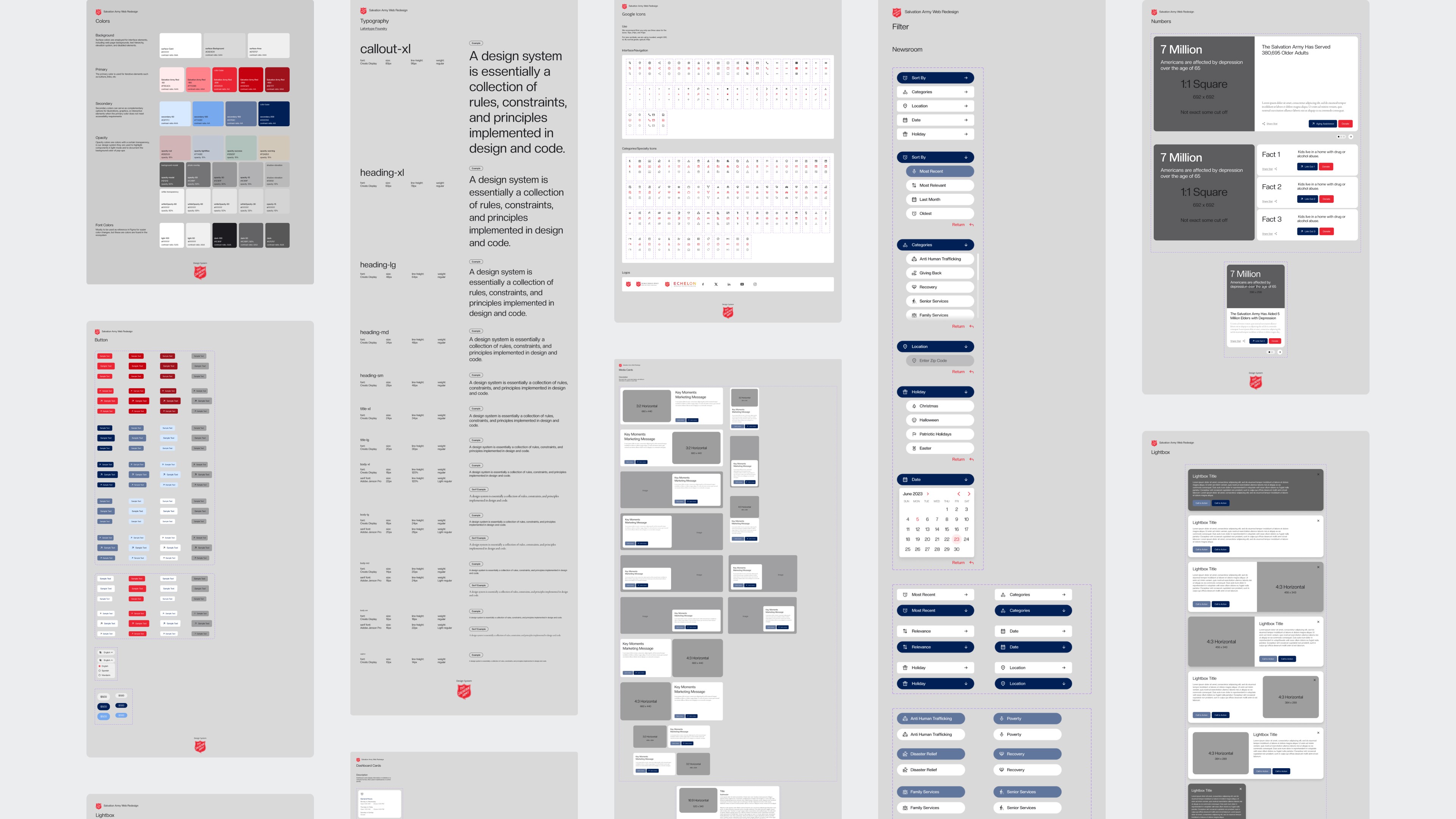
We created a design system to ensure predictable navigation and patterns across all sites
As a result, users could rely on a familiar and predictable path to finding help regardless of which Army site they were on.