Role
Product designer
Key contributions
User experience
Visual design
HIghlights
Over 500 vehicles shared on launch day
Reduced multi-vehicle sharing to a single flow
About the Product
Bouncie provides vehicle tracking and diagnostics all from your phone
Bouncie is a simple, plug-in device that connects to your car through an app. Once installed in the vehicle’s OBD port, Bouncie delivers location tracking, driving insights, and vehicle health updates straight to your phone. All of the vehicle information that Bouncie provides can be shared with other users.
CONTEXT
The company was expanding its focus from consumer use to business fleet use
Bouncie had already led the consumer market. To grow, they were expanding their reach to businesses managing fleets of vehicles. Supporting fleets required workflows that could scale to hundreds of vehicles. By doing this, they could increase the number of device and subscription sales per account.
Business problem
Many product features were not scalable to handle business user use cases
Bouncie was originally designed for everyday consumers. Thus, many of the features were not designed with business users in mind.
User Problem
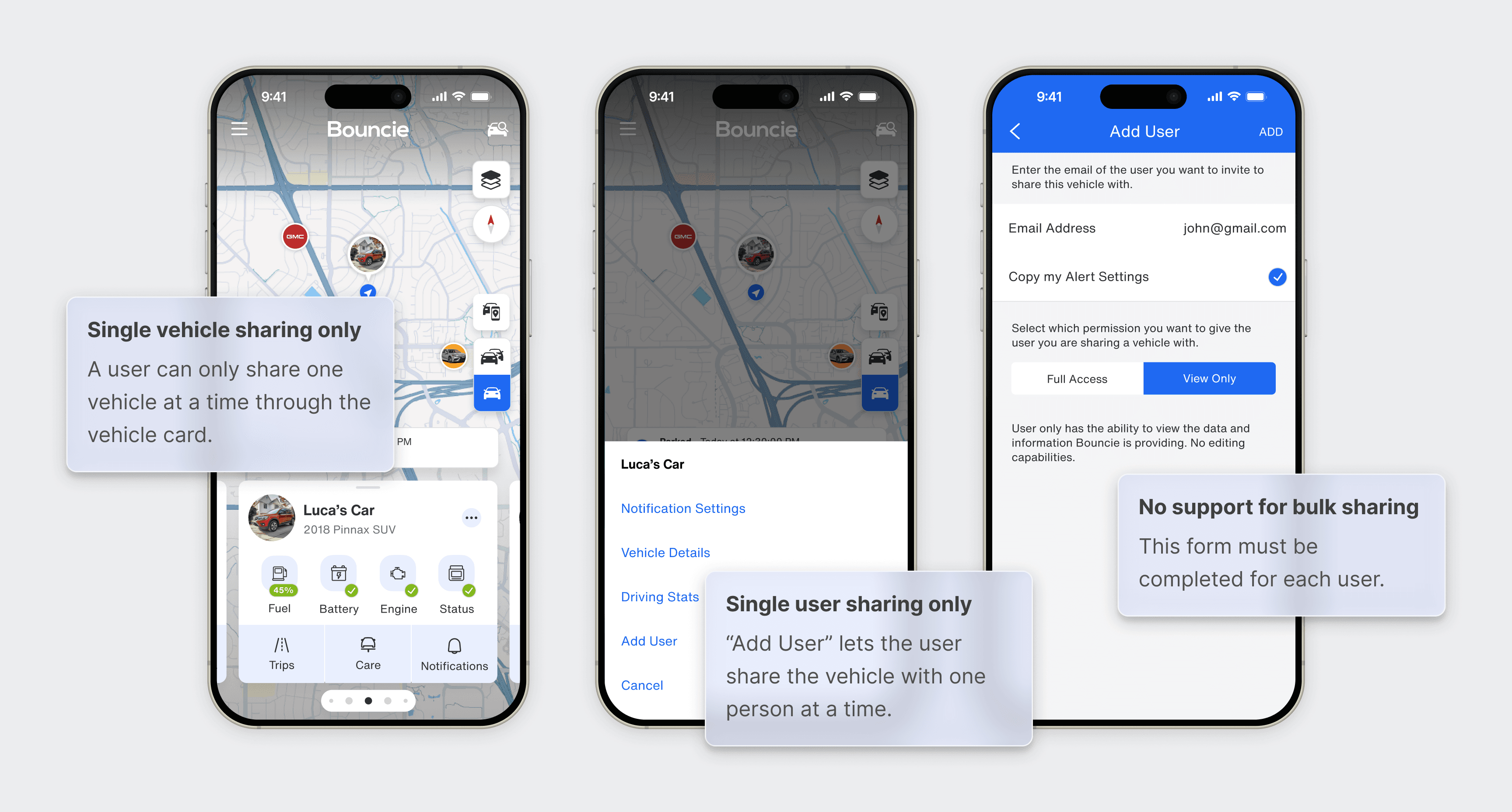
Users were limited to sharing a single vehicle with one user at a time, requiring the process to be repeated for each additional vehicle and user. While this process may work for everyday consumers, for business users with large vehicle fleets, this can quickly become a time-consuming task.
Original design limitations
There was no way to share multiple vehicles with multiple users in a single flow.
Solution
I designed a scalable multi-user vehicle sharing experience
Through the mobile app, a user could select multiple vehicles to share with multiple users.
Iterations snapshot
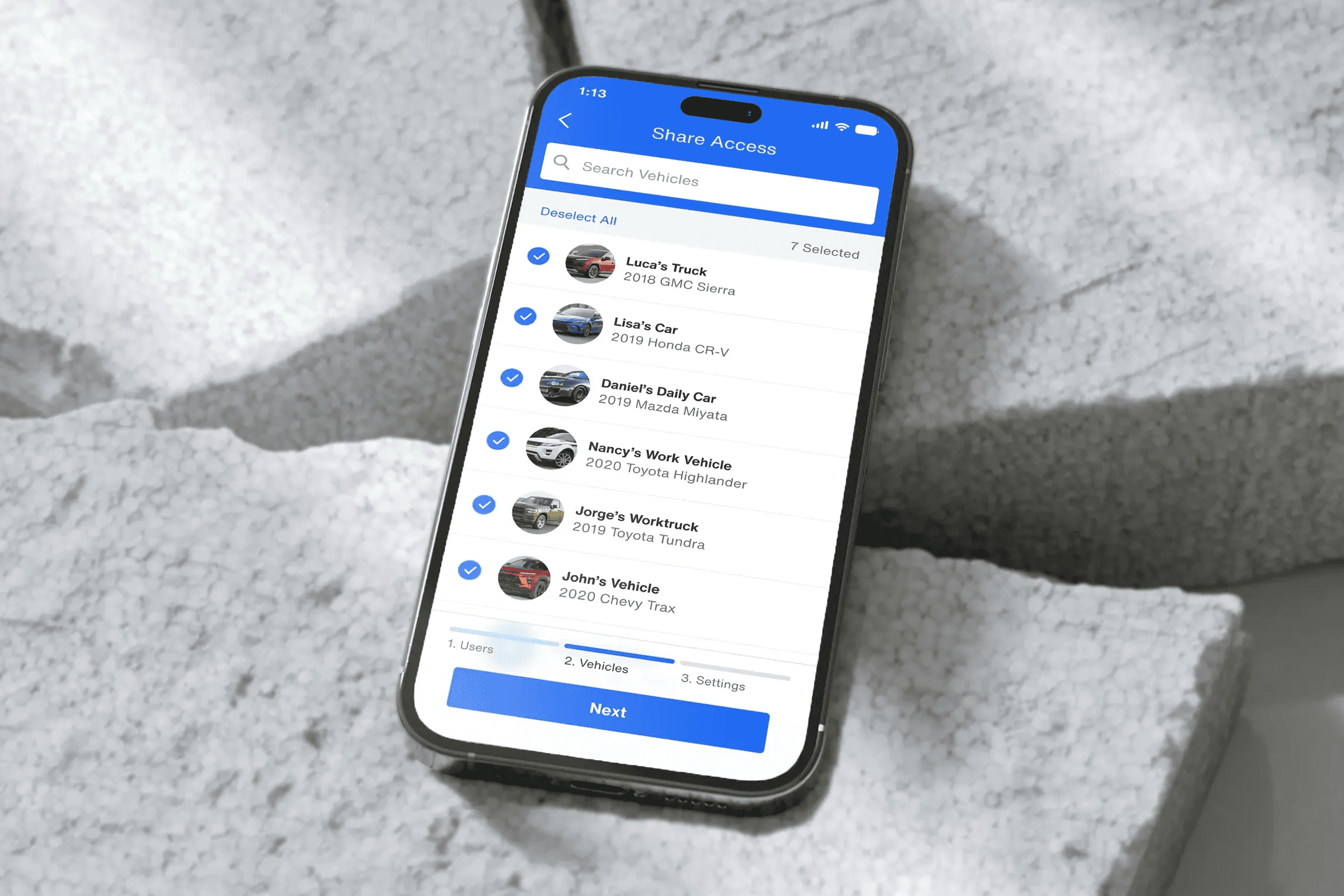
Opportunities identified through feedback
Below are sample feedback points from developers and my design team.
Final design
Bulk vehicle sharing starts at the main menu
I explored the possible entry points that a user would feel most natural in doing a bulk share. Since the action isn't limited to a specific vehicle, I put the entry point to the bulk sharing process into the hamburger menu through the "manage users" option.
The user provides emails to share with others
We needed to make a smooth path to sharing vehicle information with multiple users. When users enter the sharing flow, the first screen lets them invite multiple people in one batch.
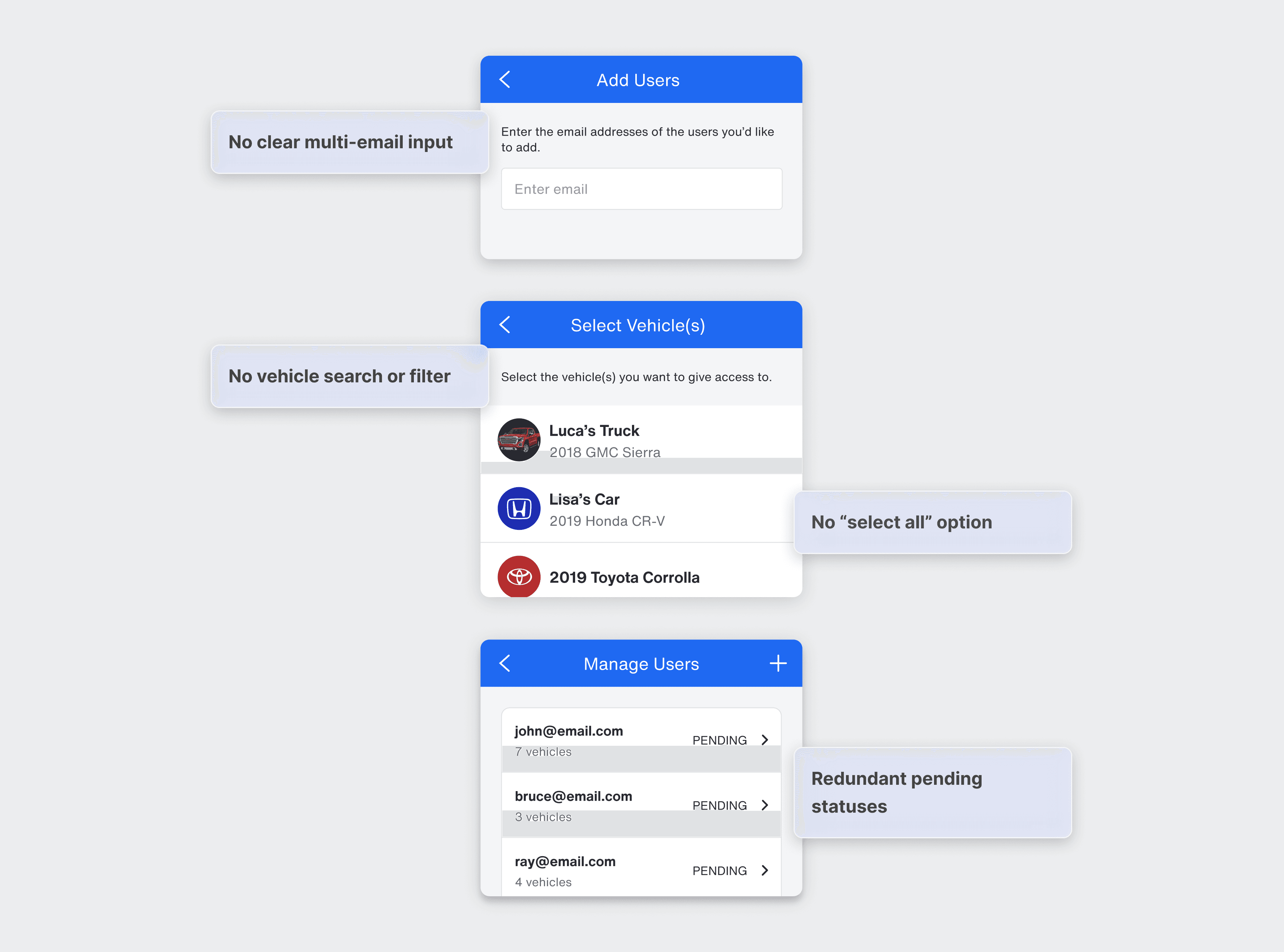
They select the vehicles they want to share
After entering the recipients' emails, users select the vehicles they want to share. Users can quickly choose specific vehicles—or share them all with a single tap—ideal for businesses managing large fleets.
Once the vehicles are selected, users can opt in or out of copying the vehicle's settings which includes items like notification preferences and feature settings.
Confirmation & user management main screen
After completing the steps, users see a confirmation screen where they can adjust their selections. Upon pressing "Add Users", they are then taken to the "Manage Users" screen where they can view added users and update individual permissions if needed.
Results
The bulk sharing feature saw immediate adoption upon launch
Within the first 24 hours, users shared over 500 vehicles, proving the value of bulk actions and validating the need for scalable sharing workflows among business fleet and power users.
(For confidentiality reasons, I have omitted the actual number of vehicles shared).
Into the Future
I plan to scale other features in the app
This project shows how a working feature can evolve to better serve both everyday drivers and power users. Next, I'm exploring other areas of the product to continue improving the overall experience.